
EcoFlow RIVER 3 Review: Measured Output, Runtime, Heat
Hands-on EcoFlow RIVER 3 review: real USB-C and AC output, runtime, heat, fan noise and three UPS cutovers — the measurements, not the spec sheet.
TL;DR — EcoFlow RIVER 3 Review (hands-on tested)
| Verdict | Strong compact station for sub-300W electronics. Not for appliances. |
| USB-C usable energy | 216.8Wh (88.2% of 245.76Wh nameplate) at sustained ~97.6W |
| AC usable energy | 202.5Wh (82.4%) at ~270W load |
| Charge speed | 3→100% in 51 minutes (~300W input) |
| UPS | Three manual grid cutovers, no reboot observed (220V unit, 10ms rated) |
| Weight | ~3.6 kg / 7.9 lb |
| Best for | Laptops, routers, mini PCs, cameras, CPAP without humidifier |
| Skip if | You need to run fridges, heaters, or anything above 300W |
| Key caveat | Our unit was a China-market 220V model; US version is 120V with different UPS spec |
Our verdict: The EcoFlow RIVER 3 is a strong small power station for laptops, routers, monitors, mini PCs, cameras, and other sub-300W equipment. Our unit delivered an estimated 216.8Wh over USB-C at a continuous 100W-class load, sustained roughly 97.6W at the USB meter for 15 minutes, and recharged from 3% to 100% in 51 minutes. It also kept our mini PC and monitor running through three manual grid cutovers. Its limitation is just as clear: the 300W inverter makes it a compact electronics power source, not a substitute for a larger appliance station.
There is one unusually important disclosure. We ordered a listing option labeled RIVER 3 Plus, but the shipping label, manual, app, battery capacity, and product itself all identify the delivered unit as RIVER 3, model EFR705. It is also a China-market 220V unit with a stated 10ms UPS specification. The US RIVER 3 is a 120V product officially rated for a transfer time under 20ms. Our battery, USB, thermal, and charging findings are still useful to US shoppers, but our AC socket and UPS results should not be treated as a direct certification of the US version.
For a complete troubleshooting guide covering all models, see our EcoFlow Error Codes Decoded: Complete List & Fixes (2026). If a specific fault code appears on your unit, our EcoFlow DELTA 2 error 022 fix and DELTA Max E01 temperature error guide walk through the two most common codes we see.
How we tested
This was not a one-afternoon unboxing. We purchased the EcoFlow RIVER 3 ourselves (no review unit from the manufacturer) and spent over a week running structured tests in a home environment in China. Every test below was repeated at least twice for consistency.
Test equipment: FNB58 USB power meter, Kill A Watt AC power meter, FLIR One thermal camera, a digital sound level meter at 50cm, and a mini PC + 24” monitor for UPS testing.
Tests performed:
- Full USB-C discharge at 100W-class load (measured wattage × runtime = estimated Wh)
- Full AC discharge at ~270W resistive load
- Stepped USB-C load ramp (60W → 80W → 100W-class)
- USB-A port validation on both ports
- 0→100% and 3→100% fast charge cycle with thermal and noise logging
- Four-hour low-power AC endurance test (~6-7W router load)
- Three UPS cutover tests: manually cut grid power while a mini PC and monitor were running on the RIVER 3’s AC output
All wattage figures are from our meter readings, not manufacturer claims. Our usable-energy figures are runtime-based estimates (stable measured power × runtime), not direct cumulative Wh readings from a laboratory energy analyzer.
| Test | Our result |
|---|---|
| Battery nameplate | 245.76Wh LiFePO4 |
| Measured weight | About 3.6kg / 7.9lb |
| USB-C 100W-class stability | About 97.62–97.68W at FNB58 for 15 minutes |
| USB-C usable energy | Estimated 216.8Wh, or 88.2% of nameplate |
| AC usable energy at about 270W | Estimated 202.5Wh, or 82.4% |
| 3% to 100% recharge | 51 minutes |
| Historical 0% to 100% recharge | About 53 minutes |
| Low-power AC test | About 6–7W for four hours, no shutdown |
| USB-A test | Both ports held about 5V/2A for 10 minutes |
| UPS cutovers | Three manual cutovers, no observed reboot or black screen |
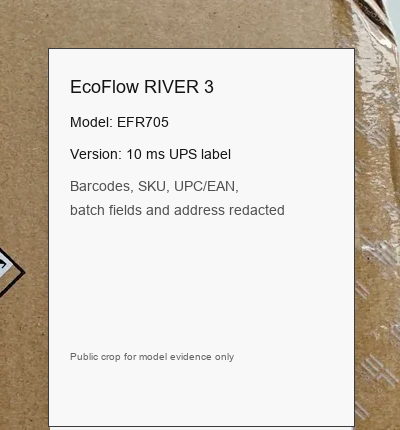
This redacted public crop preserves the model evidence while hiding barcodes, SKU/UPC/EAN, batch fields, and address details.
RIVER 3 versus RIVER 3 Plus: verify the model first
The names are close, but these are not interchangeable products. EcoFlow’s current US specifications list the regular RIVER 3 at 245Wh and 300W AC, while the RIVER 3 Plus is a 286Wh, 600W model with battery expansion support. A listing title or option selector is not enough evidence of what arrived.
Before relying on any review or seller page, check these four places:
- The label on the shipping box.
- The nameplate on the bottom of the power station.
- The model shown after binding it in the EcoFlow app.
- The printed quick-start guide in the box.
All four pointed to RIVER 3 in our case. This matters because a buyer expecting the Plus could otherwise assume the 300W AC limit is a fault, or publish test results under the wrong product name. We broke the verification process out separately in our RIVER 3 vs RIVER 3 Plus model-identification guide.
| Official US specification | RIVER 3 | RIVER 3 Plus |
|---|---|---|
| Battery capacity | 245Wh | 286Wh |
| Rated AC output | 300W | 600W |
| UPS transfer claim | Under 20ms | Under 10ms |
| Extra-battery expansion | No | Yes |
Our received 220V regional unit states 10ms UPS on its label, which differs from the current US RIVER 3 claim. Always use the specification for the exact regional SKU you plan to buy.
USB-C: it really can sustain a 100W-class load
The single USB-C port is one of the RIVER 3’s best features. With a 5A E-Marker cable, our protocol reader exposed a fixed 20V/5A PDO. We then ran 60W for five minutes, 80W for 10 minutes, and a 100W-class load for 15 minutes.
At the highest step, the FNB58 meter stayed between 19.532V and 19.547V, 4.996A and 4.997A, and 97.620W and 97.677W. The electronic load saw approximately 96.47W to 96.59W after cable and connection losses. There was no shutdown, reboot, or sustained power reduction. The cooling fan ran, the highest temperature recorded during that 15-minute stage was 36.1°C, and noise at 50cm reached 38.2dB against a 36.9dB room background.
That is a successful result. A nominal 100W USB-C source does not need to show exactly 100.00W at the far end of a real cable to be operating correctly. If your port instead sticks at 5V or caps near 60W, the cause is usually the cable or the chain, not the station — see our USB-C not-fast-charging fixes.
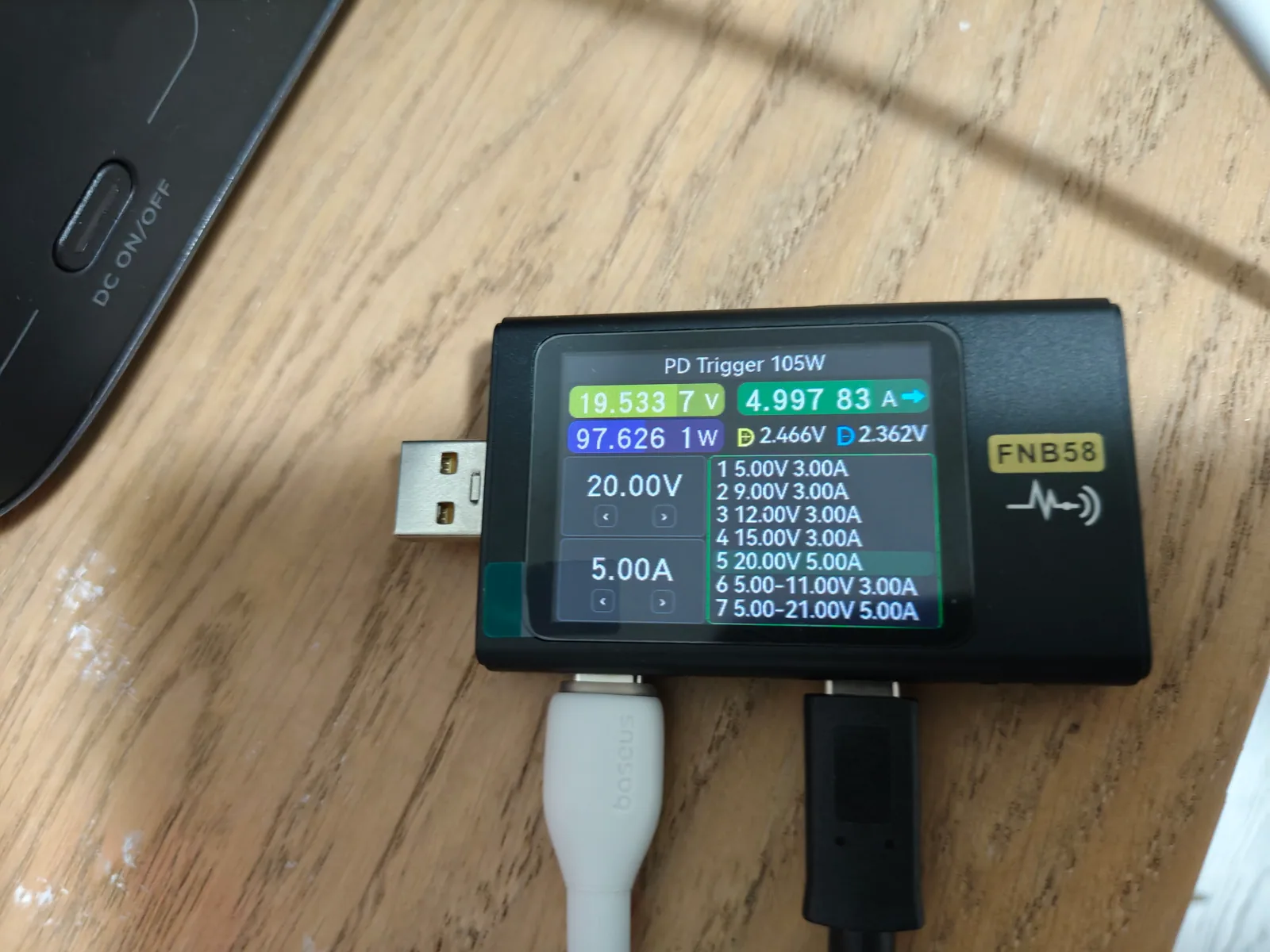
A 5A cable exposed the 20V/5A profile and allowed a stable 100W-class test.
There was a useful testing lesson here. One cable limited the negotiation to 20V/3A, while another exposed 20V/5A. We also saw the PD connection renegotiate to 5V with one downstream test-chain arrangement. That behavior came from the meter, cable, and electronic-load chain; it was not evidence that the RIVER 3 lacked a 100W profile. If your laptop will not reach its expected input, verify the cable’s E-Marker rating before blaming the power station. We published the full stepped-load data, thermal readings, and cable troubleshooting in a dedicated USB-C 100W deep-dive test.
USB-C usable capacity: our best efficiency result
For the full USB-C discharge, we started at 100%, set the electronic load to 5.00A, and ran until output stopped. The electronic-load reading remained around 19.26–19.31V and 96.31–96.55W. Runtime was approximately 135 minutes.
Using an average of 96.36W:
96.36W × 2.25 hours = 216.8Wh estimated output
Against the 245.76Wh nameplate, that is 88.2% usable energy. This is a very good DC result for a compact power station because it avoids the inverter losses involved in AC output. The USB panel reached a recorded maximum of 42.3°C and the fan ran, but we observed no instability or abnormal heating.
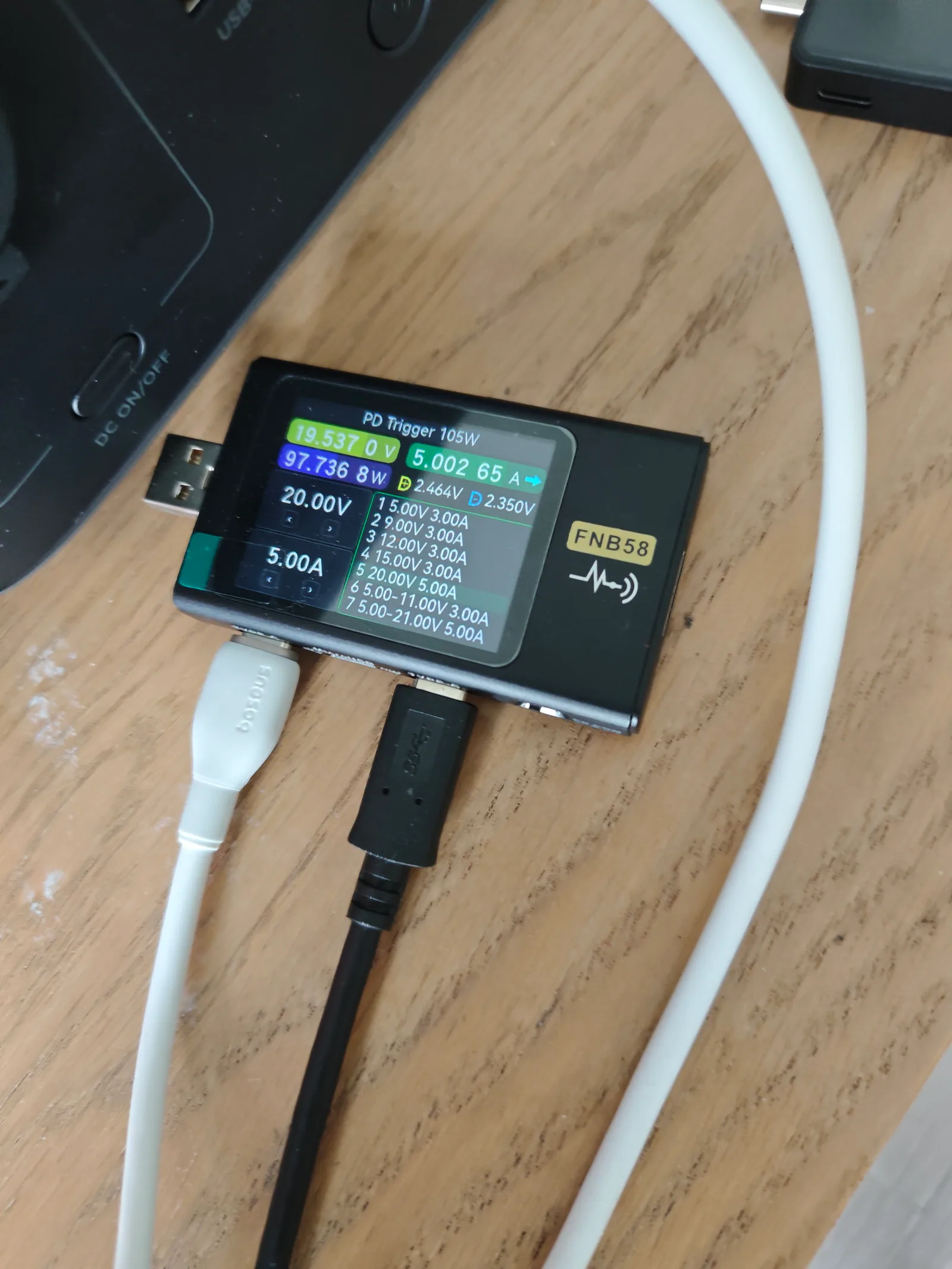
The full run held a 100W-class USB-C load for about 135 minutes.
In practical terms, USB-C is the preferred output for a compatible laptop or mini PC. The exact runtime will depend on device demand, cable loss, battery temperature, and conversion behavior, but this test gives a defensible upper-load baseline.
AC capacity and the real meaning of the 300W rating
We used a hair dryer running at approximately 270W as a steady AC load. From 100% until shutdown, the RIVER 3 ran for 45 minutes. The calculation is:
270W × 0.75 hours = 202.5Wh estimated AC output
That equals about 82.4% of nameplate capacity. Lower efficiency than USB-C is expected because the inverter has its own conversion and standby losses.
The unit also held a roughly 273W load for a separate 10-minute check. During the longer AC run, the hottest recorded area reached approximately 40.8°C at 30 minutes and we did not observe power reduction. Switching the hair dryer to its high setting triggered protection, but we did not use adjustable high-power equipment to locate an exact overload threshold. Therefore, we can say it operated close to its 300W rating; we cannot claim a precise surge or protection point.
This is the buying decision in one sentence: RIVER 3 is appropriate for electronics and small loads, but a 600W-class kettle, heater, coffee maker, or cooking appliance belongs on a larger station. X-Boost marketing does not change the underlying 300W rated output or make every heating appliance suitable.
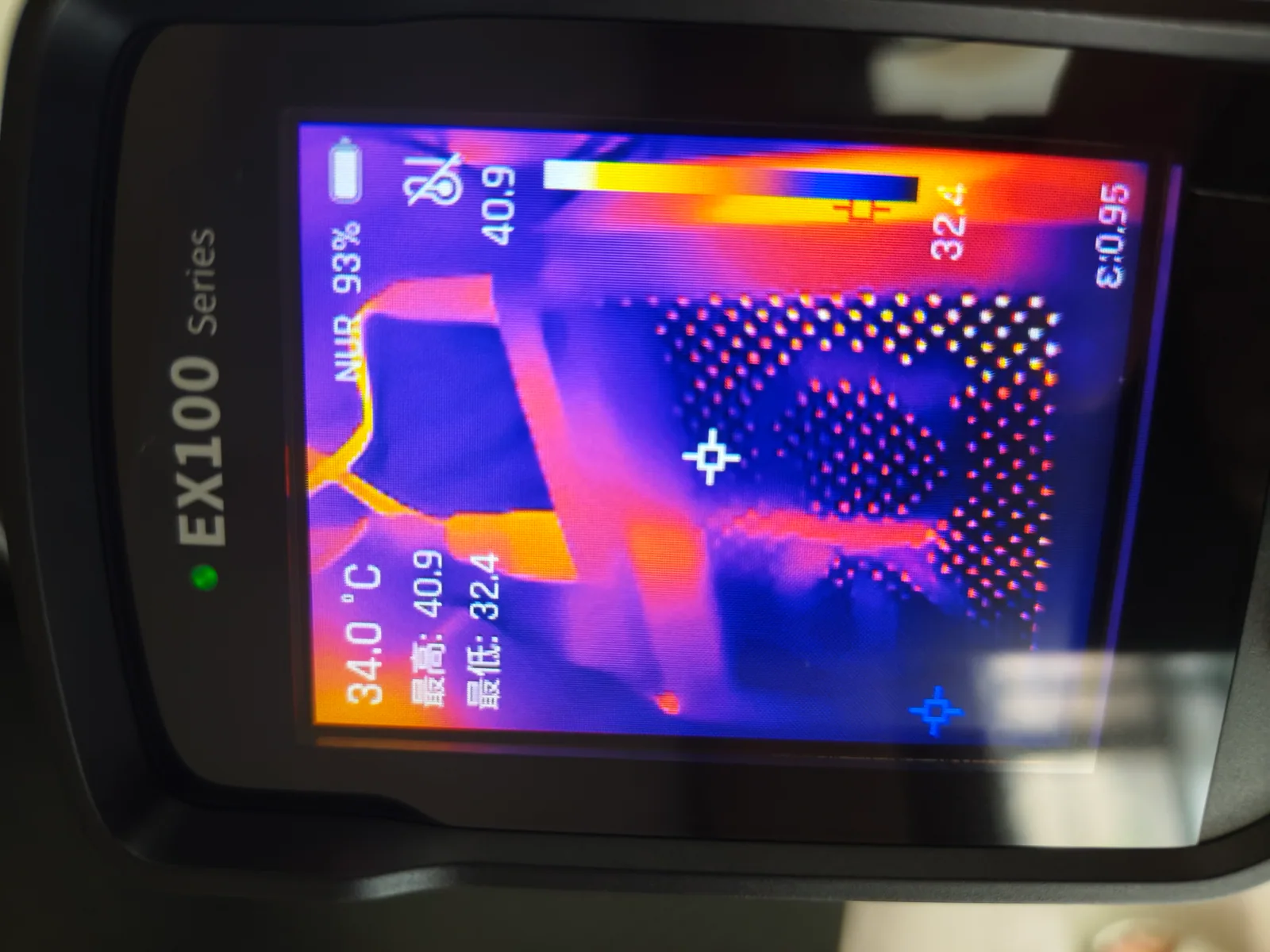
Thermal imaging helped us track the enclosure and vent temperature under load.
Charging speed, heat, and noise
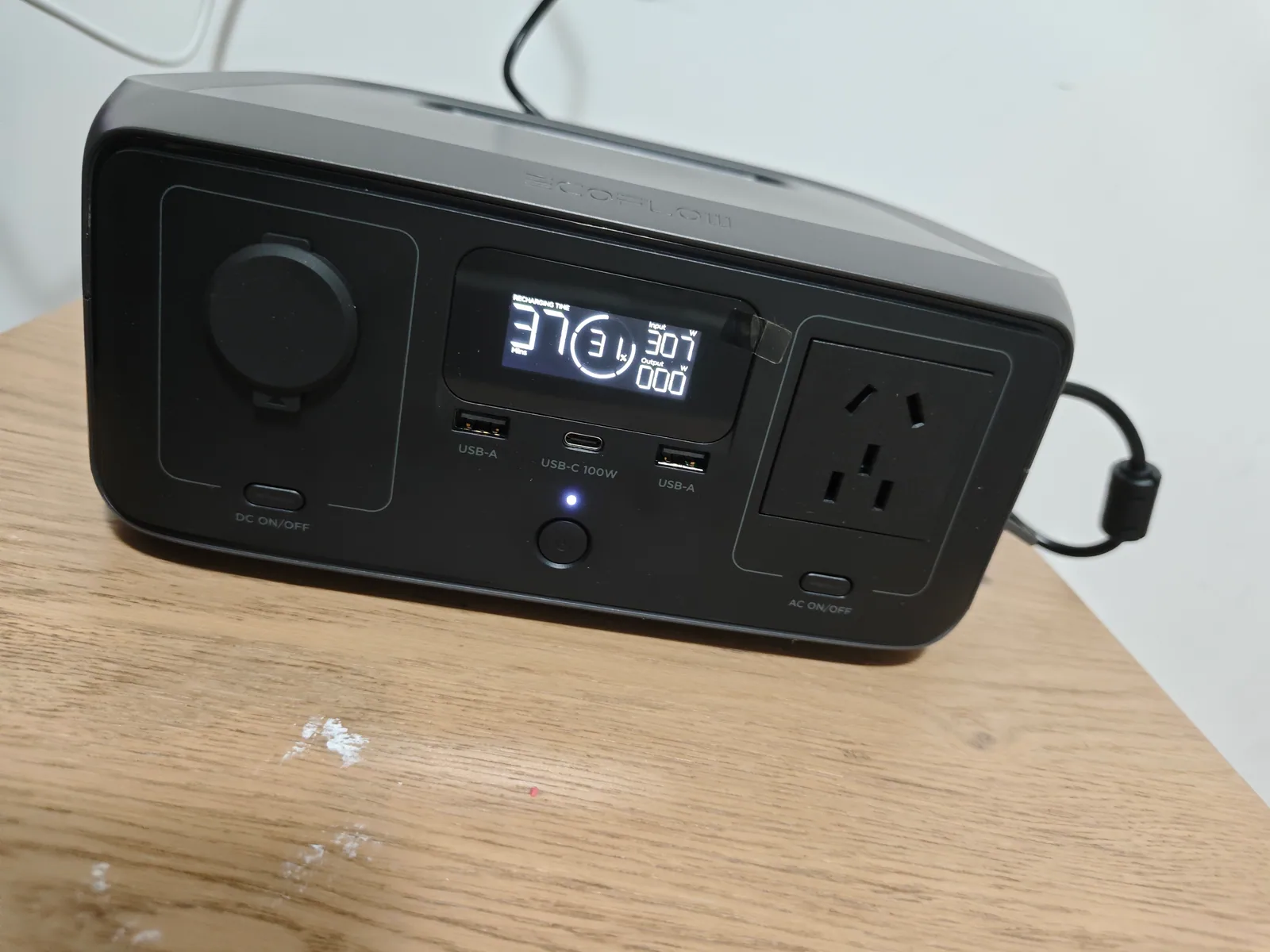
The repeatable headline is simple: this unit charges in about an hour. Our earlier 0% to 100% curve took approximately 53 minutes. A later controlled run from 3% to 100% took 51 minutes. In the repeat run, wall power started around 295W, spent much of the charge between 304W and 307W, dropped to about 215W by 91%, and reached 0W when the display showed 100%.
From time-stamped power samples, we estimate that the 3% to 100% session drew approximately 248Wh from the wall. This is again an estimate from integration of the recorded curve, not a directly reset cumulative meter reading.
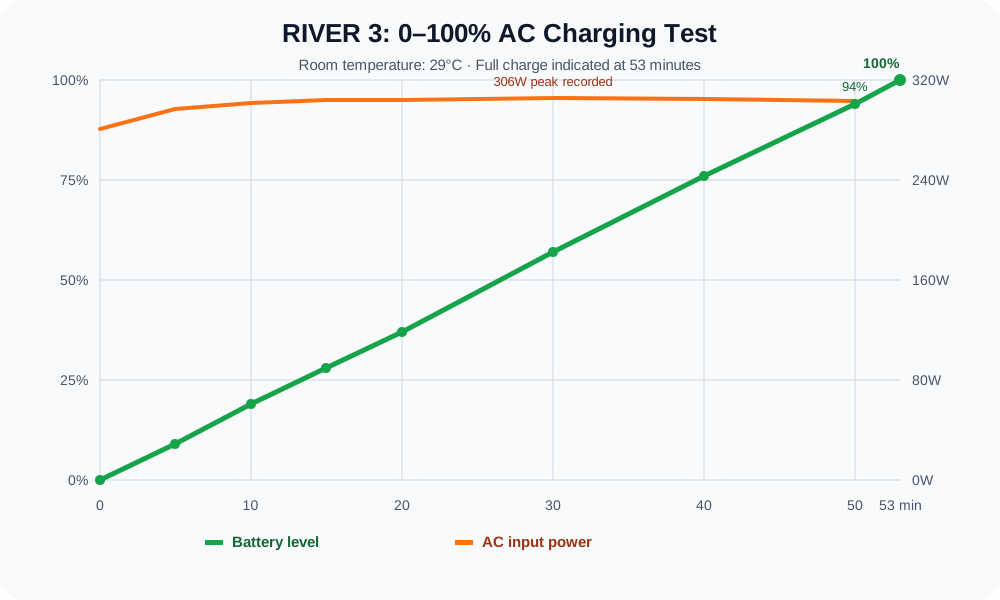
Most of the charge ran near 300W before the expected taper close to full.
Thermal and acoustic results differed between the two sessions. The repeat 3% to 100% run peaked at 38.8°C near the fan or vent, with 50cm readings of roughly 37.4–38.5dB. The earlier full curve recorded a higher 48.4°C vent temperature and a maximum 43.7dBA at 50cm against about 36dBA background. We preserve both results rather than blending them into one suspiciously neat number: room conditions, measurement timing, and unit temperature before charging can change the peak.
The fan is audible during fast charging in a quiet room, but charging is short. If the station sits beside a bed or microphone, schedule charging earlier rather than expecting silence.
We publish the complete minute-by-minute curve, both thermal tables, the full noise log, and the dead-battery recovery sequence in our dedicated EcoFlow RIVER 3 charging test.
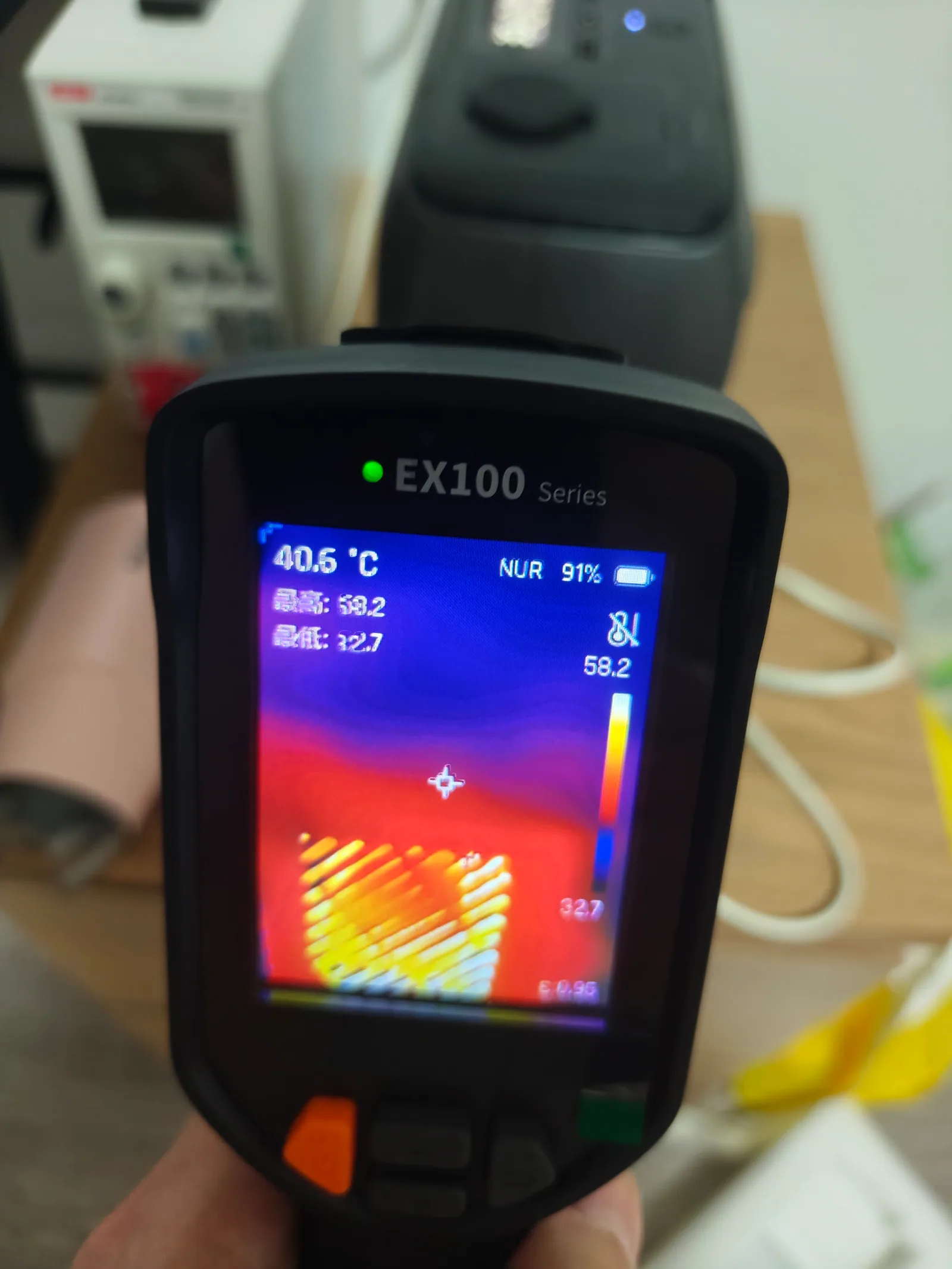
The vent was the hottest measured area during charging.
We also documented recovery from an empty battery. A short press lit the screen after about five seconds, then it went dark at 15.52 seconds. After AC was connected at the 13-second mark, the station woke at 17.5 seconds, showed 1% at 34 seconds, and reached 3% at 1 minute 28 seconds. It required no reset or special recovery sequence.
Low-power loads: a four-hour router test
Very small AC loads can expose aggressive auto-shutdown behavior. We connected a router that drew about 6–7W and ran it for four hours. The router stayed powered, the EcoFlow did not shut down, and the battery display fell from 100% to 81%. The AC meter’s cumulative reading increased by about 0.026kWh, or 26Wh.
This result needs context: both Device Timeout and AC Timeout were set to Never in the app. It proves the station can maintain a 6–7W AC load for four hours with those settings. It does not prove that every factory-default timeout configuration will behave the same way.
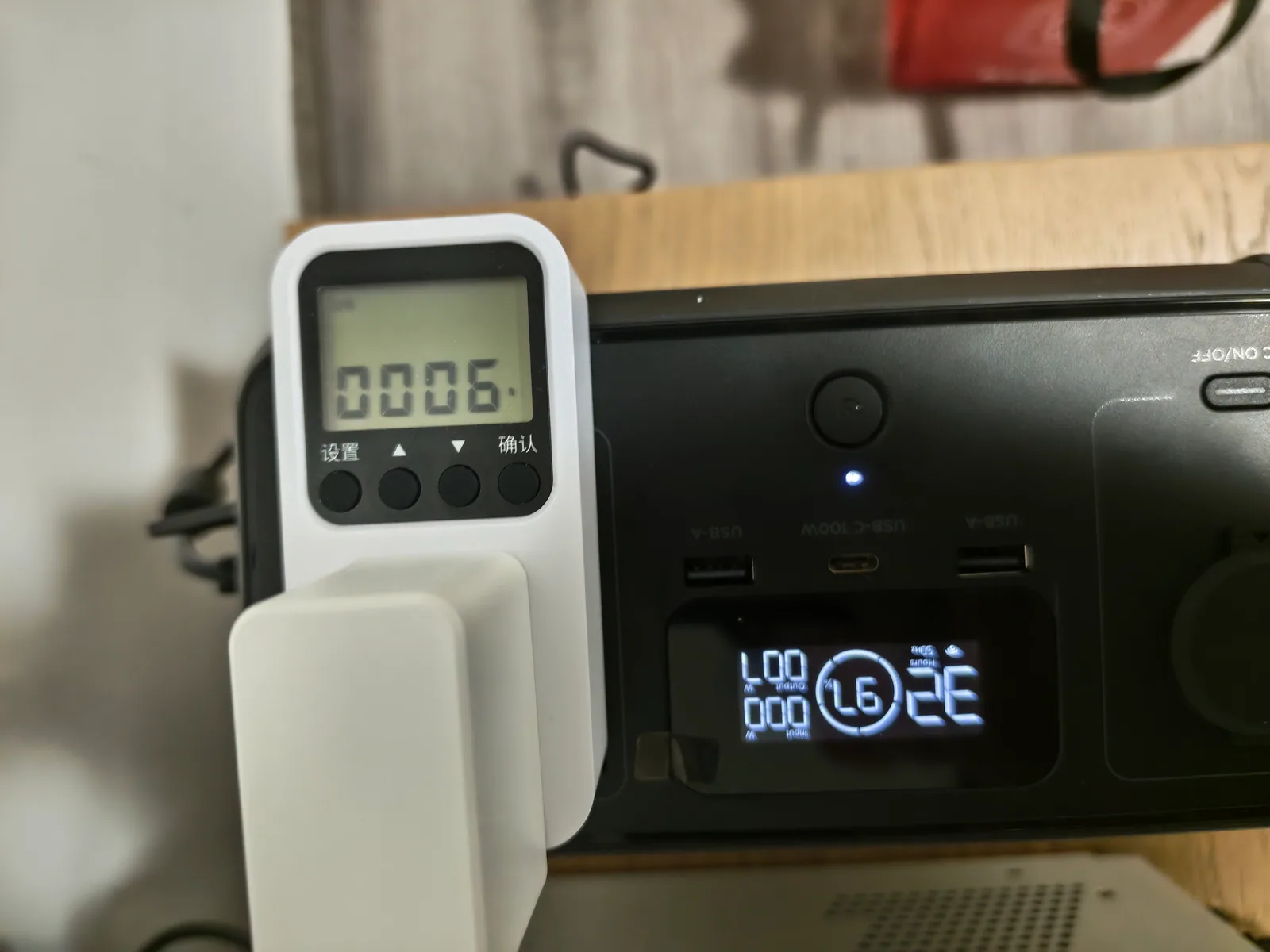
With both timeout settings on Never, the 6–7W router remained powered for four hours.
The 19% display drop for only 26Wh of delivered AC energy also illustrates why low-load inverter efficiency matters. Running a tiny DC device through AC can consume substantially more battery than its output power alone suggests. Use direct USB or 12V output when practical.
USB-A port results
We tested both USB-A ports independently at about 5V/2A for 10 minutes. The first port remained near 4.890V and 9.77W; the second remained near 4.871V and 9.73W. Neither dropped out, and the RIVER 3 display recognized the USB output throughout.
One protocol scan detected Apple 5V/2.4A and BC1.2 support. Because we did not save a protocol scan for both ports, we use that result only as evidence for the scanned port and do not claim that every fast-charge mode was verified on both.
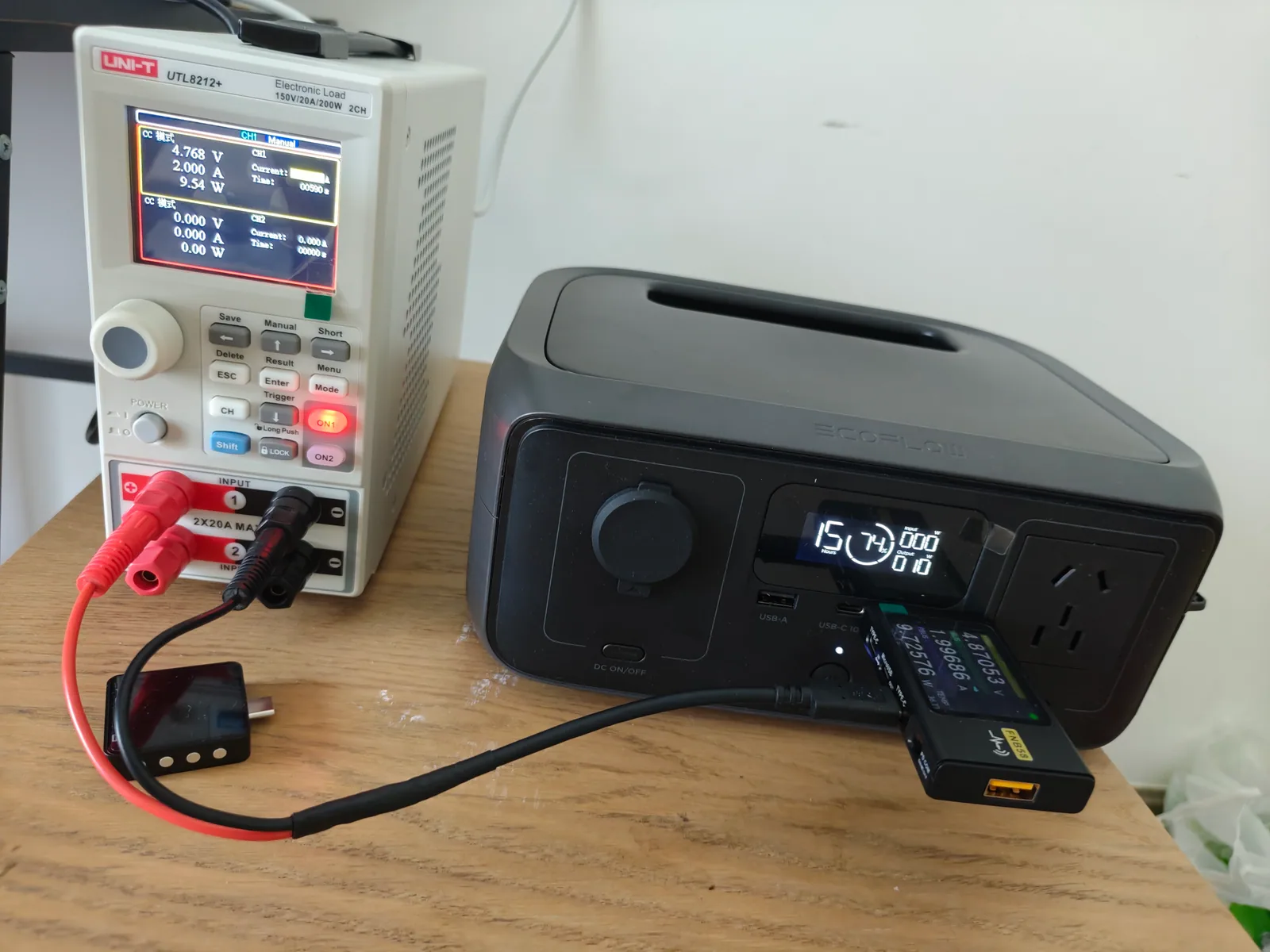
Both USB-A outputs were stable at approximately 10W in separate 10-minute tests.
UPS test with a mini PC and monitor
Our UPS setup used a mini PC and monitor. We manually disconnected grid power three times while recording the equipment and the RIVER 3. We did not observe a black screen or mini-PC reboot on any transition.
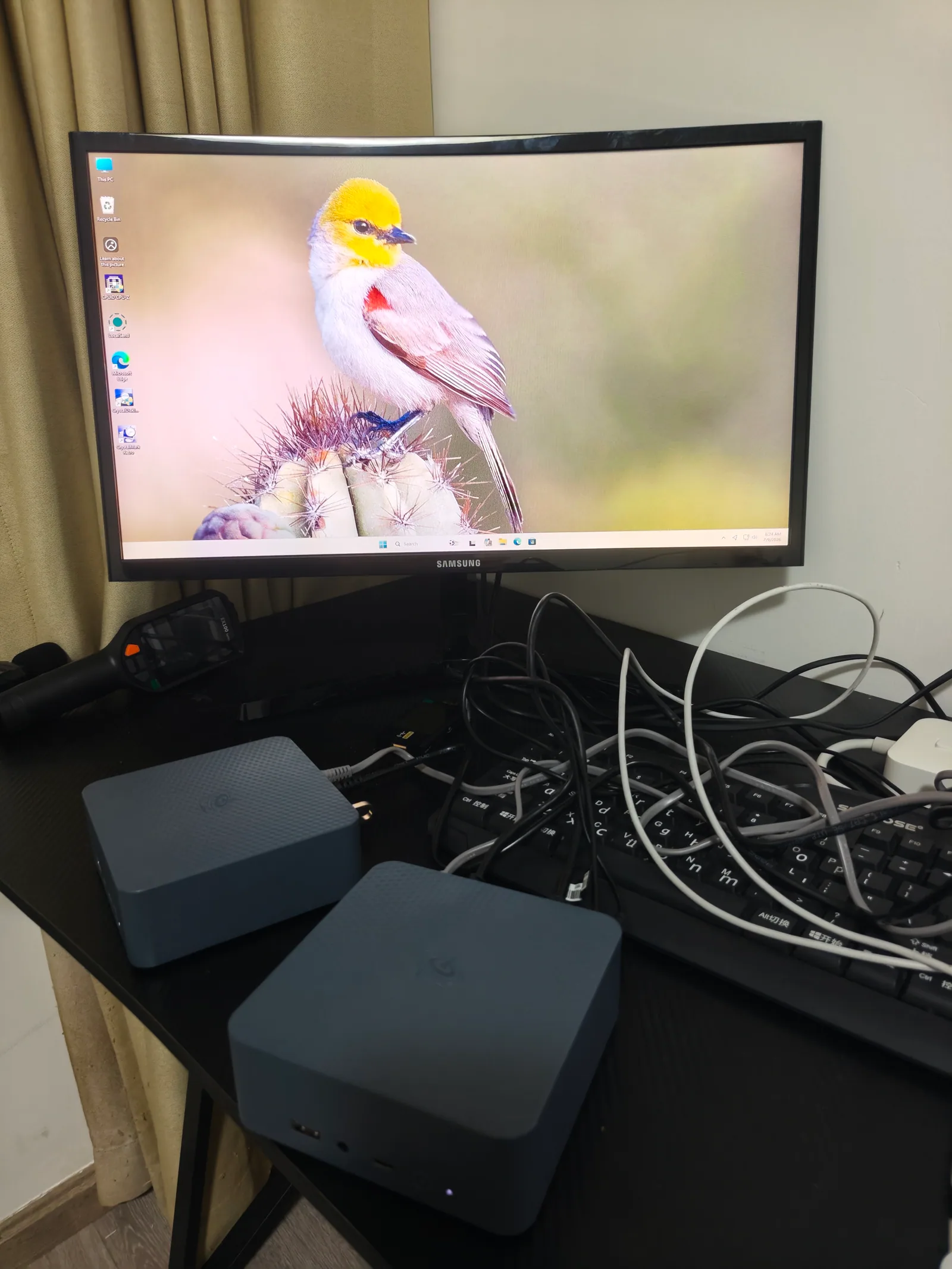
The mini PC and monitor stayed on through all three manual grid cutovers we observed.
This is a practical pass, not an oscilloscope measurement. It does not establish the exact transfer time, and no portable power station should be assumed compatible with every server, medical device, or unusually sensitive power supply. Our regional unit’s label says 10ms UPS; the current US RIVER 3 page says under 20ms. Buy according to the exact SKU and the tolerance of the connected equipment.
App and firmware experience
Binding the station by Bluetooth and then joining 2.4GHz Wi-Fi took about two minutes. The app exposes charge and discharge limits, backup reserve, input and output settings, scheduled tasks, low-battery reminders, firmware updates, and separate device and AC timeout controls. For the full walkthrough — pairing steps, why the timeout controls decide whether small loads survive, and our firmware situation — see our EcoFlow RIVER 3 app guide.
Our unit showed firmware version 1.0.0.0 during testing and offered version 6.30.49.80. Its release note mentioned a fix for live USB-C output-power display. We did not update firmware in the middle of the test series because changing firmware would weaken comparability between runs. If you update, save the before and after versions and retest any behavior that matters to you.
What we like
- High USB-C usable energy: an estimated 216.8Wh, or 88.2%, at a demanding continuous load.
- A genuine 100W-class USB-C port: 20V/5A was exposed with the correct cable and remained stable.
- Fast charging: both full-charge runs finished in roughly an hour.
- Good fit for electronics: laptops, network equipment, displays, camera gear, and mini PCs match the power envelope.
- Useful timeout controls: the app can keep low-power AC equipment running when configured correctly.
- Compact hardware: about 3.6kg is easy to move around a home, office, or vehicle.
What could be better
- Only 300W rated AC output: this excludes many household heating and cooking appliances.
- No battery expansion on the regular RIVER 3: buyers needing more capacity should compare the Plus or a larger model.
- Model names are easy to confuse: our own order option and delivered product did not match.
- Fast charging uses an audible fan: the worst reading in our first run was 43.7dBA at 50cm.
- Regional differences matter: US and China units differ in AC voltage and published UPS transfer specification.
Who should buy the EcoFlow RIVER 3?
Buy it if your priority is a light, fast-charging station for USB-C devices and modest AC electronics. It makes sense as a router and laptop backup, a field power source for cameras and networking equipment, or a compact station for short outages.
Skip it if your main loads are kettles, space heaters, cooking devices, high-power tools, or anything routinely above 300W. Also skip it if you specifically need expandable battery capacity. In those cases, compare the RIVER 3 Plus or a larger 600W-plus model—but verify the nameplate before accepting delivery.
Test limitations and source notes
Our tested product is a China-market 220V RIVER 3. The affiliate card above points to the official US 120V product page. Official US capacity, rated output, dimensions, cycle-life, and transfer-time claims should be checked on EcoFlow’s US RIVER 3 page and RIVER 3 series comparison. Operating instructions are available in the official RIVER 3 series manual.
Our capacity values are runtime-based estimates. Our UPS result is an observed equipment test, not transfer-time instrumentation. We did not test solar input, long-term cycle degradation, freezing conditions, or the exact AC overload threshold. Those limits are part of the result, not details to hide.